 Relio ERD
Import PostgreSQL SQL guide
Create an ERD from PostgreSQL SQL
Read PostgreSQL DDL into an ERD document. Relio ERD does not connect to a database or execute SQL. It previews statements that block import and items that will be omitted.
Import SQL into an ERD
Step 1
Prepare PostgreSQL DDL to import
Prepare PostgreSQL DDL that defines tables and constraints. You can paste SQL or choose a .sql file up to 5 MiB. You can also follow along with the example below.
Step 2
Choose Import PostgreSQL DDL from the document dashboard
Open My documents in Relio ERD and choose Import PostgreSQL DDL. The SQL input dialog opens. You cannot import a new local document if this browser already has two. Sign in to save a document to your account.
Step 3
Paste the SQL and name the document
Paste DDL into the SQL field or choose a file, then enter a name for the ERD document. The SQL is parsed in your browser into document structure.
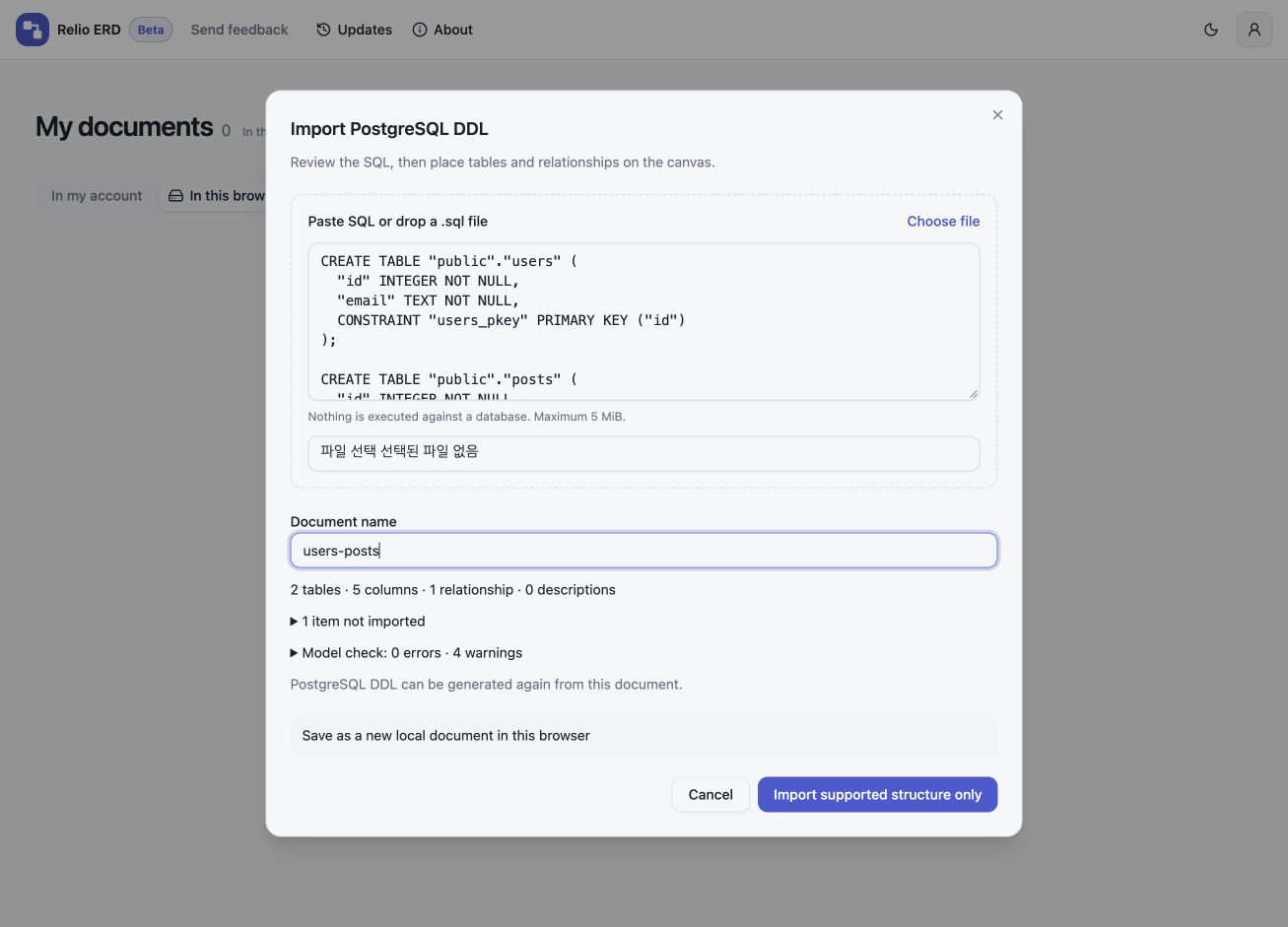
Enter SQL and name the documentView the SQL input screenshot at full size Step 4
Review tables, relationships, and items to check
Check the counts of tables, columns, and relationships, then review the model checks. Some unsupported details appear in the omissions list. If a statement blocks the import, review it and edit the SQL before continuing.
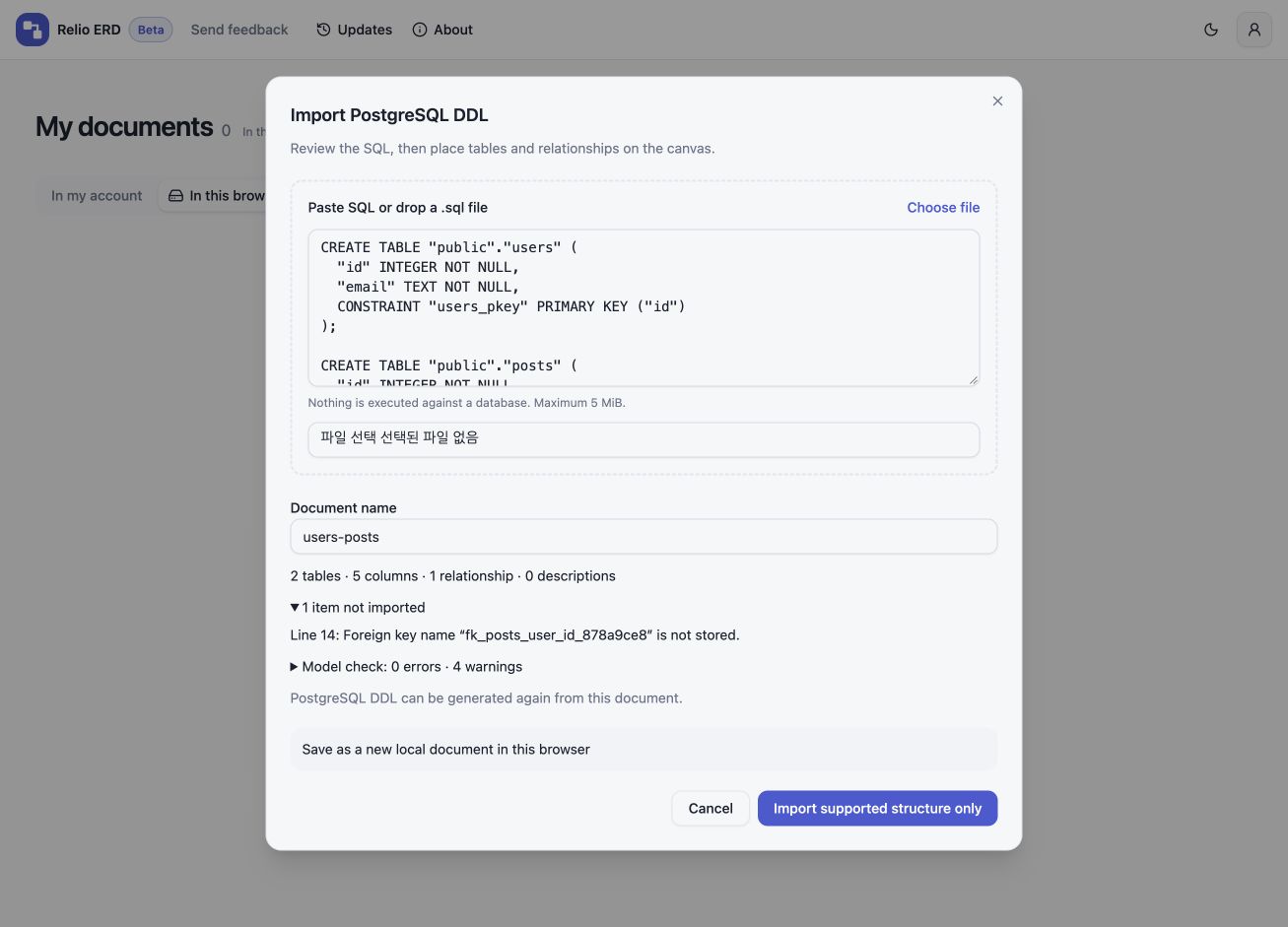
Review the import summary and omitted itemsView the review screenshot at full size Step 5
Edit the imported ERD and save a JSON backup
For this example, choose Import supported structure only. Inspect the imported tables and relationships on the canvas and make any needed edits. Choose Download ERD JSON from the File menu to save a .erd.json backup.
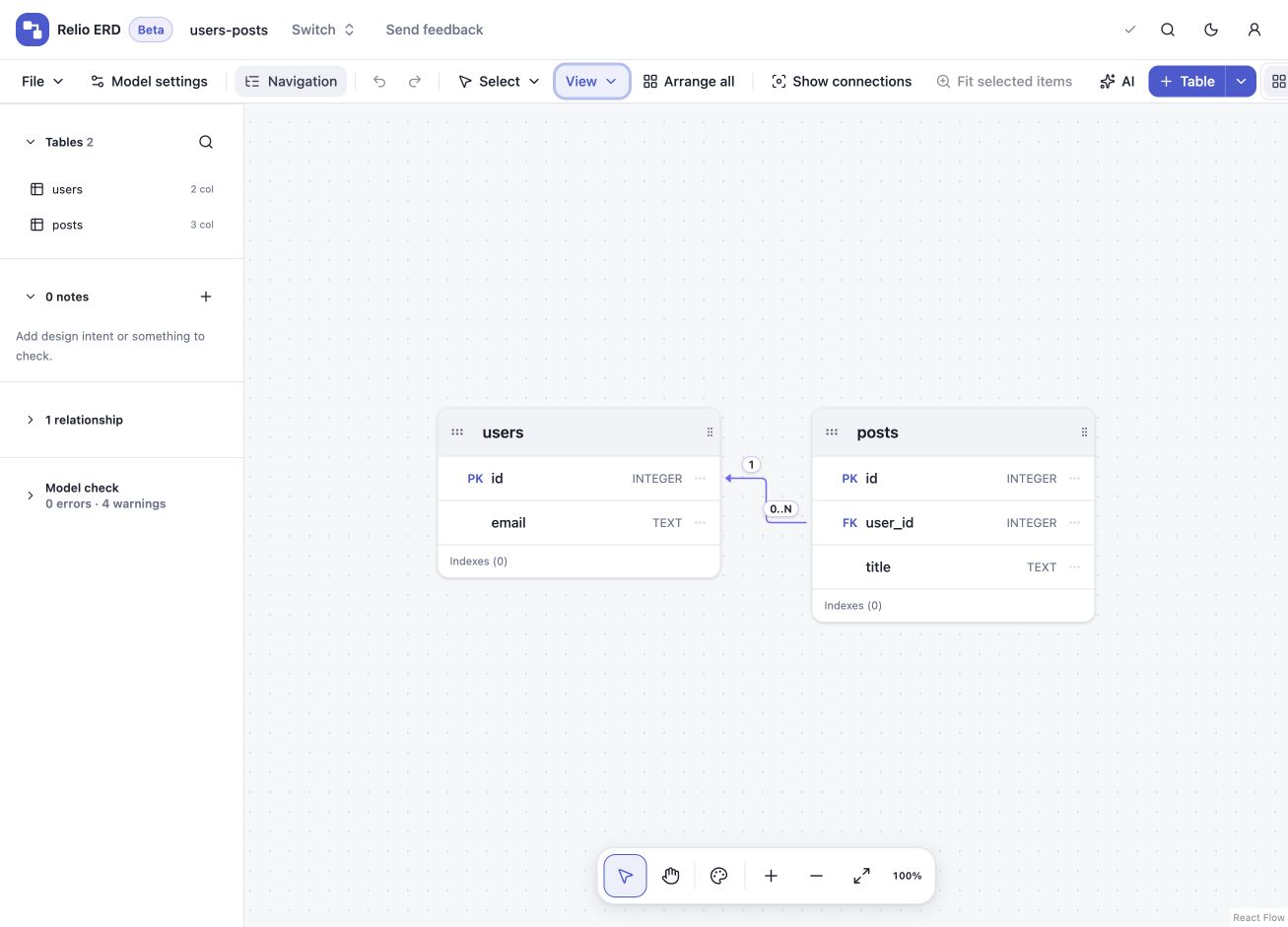
The imported structure on the ERD canvasView the ERD canvas screenshot at full size
Import example
This example defines users and posts, five columns, and one relationship. The review notes that the foreign key name is not stored; the relationship itself is imported.
CREATE TABLE "public"."users" (
  "id" INTEGER NOT NULL,
  "email" TEXT NOT NULL,
  CONSTRAINT "users_pkey" PRIMARY KEY ("id")
);

CREATE TABLE "public"."posts" (
  "id" INTEGER NOT NULL,
  "user_id" INTEGER NOT NULL,
  "title" TEXT NOT NULL,
  CONSTRAINT "posts_pkey" PRIMARY KEY ("id")
);

ALTER TABLE "public"."posts" ADD CONSTRAINT "fk_posts_user_id_878a9ce8"
  FOREIGN KEY ("user_id") REFERENCES "public"."users" ("id")
  ON DELETE NO ACTION ON UPDATE NO ACTION;